Github Projekt starten/anbinden in eclipse

helloworld26

Mitglied
Liebes Forum Team,

ich habe ein Githubprojekt heruntergeladen und wollte es in Eclipse einbinden und starten.

Jedoch blick ich da gar nicht durch, da ich nicht weis was und welche Dateien ich anbinden soll, da es sehr viele sind.

Ich wäre euch dankbar, wenn mir jemand helfen könnte, damit ich es starten kann 🙂

Das Projekt ist leider zu groß um es anzuhängen, daher anbei der link zum Githubprojekt : 4.3.4

Danke und Gruß

Wiedermal ein hilfloser Student
 
Willst du daran entwickeln oder es nur starten? Bei letzterem brauchst du es nicht in Eclipse einbinden.

Im Tutorial ist auch beschrieben, wie man es startet.
 
Wieso willst du es in Eclipse starten?

Du startet das mit Java bzw. in Matlab und nicht in Eclipse. Eclipse ist eine IDE zum Programmieren.

Anleitung gelesen?
Lieber Dukel,

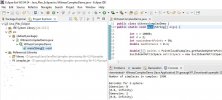
ich habe es nun versucht in Java zu öffnen. Die .jar Datei mit der erstellen Datei in einen Ordner reingepackt und es ausgeführt. Jedoch kommt die Fehlermeldung:
Java:
Fehler: HauptklasseWitnessComplexDemokonnte nicht gefunden oder geladen werden
 
In Eclipse wird sicher das selbe passieren 😉

Anleitung lesen! So wie ich das verstehe, wird das Modul in Mathlab geladen und nicht nativ mit Java.

1.3. Installation for Matlab. Open Matlab and check which version of Java is being used. In this tutorial,
the symbol >> precedes commands to enter into your Matlab window.
ans = Java 1.5.0_13 with Apple Inc. Java Hotspot(TM) Client VM mixed mode, sharing
Javaplex requires version number 1.5 or higher.
To install Javaplex for Matlab, go to the latest release at https://github.com/appliedtopology/javaplex/
releases/latest/. Download the zip file containing the Matlab examples, which should be called something
like matlab-examples-4.2.3.zip. Extract the zip file. The resulting folder should be called matlab examples;
make sure you know the location of this folder and that it is not inside the zip file.
In Matlab, change Matlab’s “Current Folder” to the directory matlab examples that you just extracted
from the zip file. In the Matlab command window, run the load javaplex.m file.
Also in the Matlab command window, type the following command.
> import edu.stanford.math.plex4.*;
Installation is complete. Confirm that Javaplex is working properly with the following command.
2
> api.Plex4.createExplicitSimplexStream()
ans = edu.stanford.math.plex4.streams.impl.ExplicitSimplexStream@513fd4
Your output should be the same except for the last several characters. Each time upon starting a new Matlab
session, you will need to run load javaplex.m.
 

Neue Themen


Zurück
Oben